

Experiencing a DRIVER_POWER_STATE_FAILURE NVMe crash (Bug Check 0x0000009F) indicates a critical power transition deadlock between the Windows NT kernel and the solid-state storage controller. When modern workstations and servers transition into or resume from low-power states—particularly Modern Standby (S0 Low Power Idle)—the kernel issues power-related I/O Request Packets (IRPs) down the storage stack. If the drive controller fails to transition out of deep PCIe Active State Power Management (ASPM) L1 Substates before the StorPort watchdog timer expires, the kernel halts execution with a STOP error to prevent data corruption.
- WinDbg Crash Dump Triage: Tracing Blocked Power IRPs
- Root Cause Analysis: PCIe ASPM L1 Substates vs. NVMe APST
- Reconfiguring PCIe Link State Power Management via PowerCfg
- Registry Overrides: Tuning StorPort Timeouts and Disabling APST
- Controller Firmware Updates & Hardware Diagnostics
- Technical Comparison: PCIe Link Power States in Modern OS
- Frequently Asked Questions (FAQ)
WinDbg Crash Dump Triage: Tracing Blocked Power IRPs
Pinpointing the exact root cause of a 0x9F bug check requires opening the memory dump file (MEMORY.DMP or minidump) in WinDbg. In most NVMe-related failures, the bug check subcode (Argument 1) evaluates to 0x0000000000000003, confirming that a device object has blocked an IRP for longer than the allowable threshold (typically 120 to 180 seconds).
Consult the official Microsoft Learn Bug Check 0x9F documentation for underlying parameter definitions. Run the following commands within the WinDbg console to trace the blocked packet to the storage controller:
# Execute automated triage analysis
!analyze -v

# Look for Argument 4 (the blocked IRP address), then interrogate the packet directly:
!irp <Blocked_IRP_Address>
Inspect the output under the driver stack entries. You will observe a stalled IRP_MJ_POWER request with minor code IRP_MN_SET_POWER targeting DevicePowerState (D0). The top of the stack will typically point to stornvme.sys waiting indefinitely on the parent bus driver (pci.sys) or ACPI subsystem:
>[IRP_MJ_POWER(16), IRP_MN_SET_POWER(2)]
            0 e1 ffffe00123456780 00000000 fffff801a1b2c3d0
           \Driver\stornvme    stornvme!StorPortPowerProcessSystemPowerIrp
            Args: 00000000 00000001 00000001 00000000
Root Cause Analysis: PCIe ASPM L1 Substates vs. NVMe APST
The failure occurs due to an asynchronous timing mismatch between host-level bus power management and drive-level power states:
- PCIe ASPM L1 Substates: Advanced link power management cuts transceiver power during link idle periods. States such as L1.1 and L1.2 require precise clock request (CLKREQ#) signaling and microsecond-level exit latencies.
- Autonomous Power State Transitions (APST): The NVMe specification allows controllers to enter non-operational power states (PS3, PS4) independently. When the host demands an immediate return to D0, controllers that take longer than expected to power up internal NAND channels trigger an OS watchdog timeout.
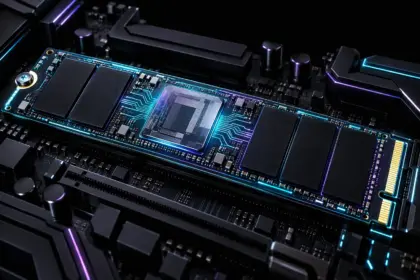
- Controller Hardware & DRAM Architecture: Budget drives without dedicated onboard DRAM often take significantly longer to wake their flash translation layers (FTL) from deep sleep. In high-throughput architectures analyzed across our enterprise storage and memory architectures coverage, hardware stability depends on predictable exit latencies. Utilizing high-performance NVMe controllers equipped with dedicated LPDDR4 DRAM cache buffers drastically minimizes wake latency deadlocks compared to DRAM-less storage endpoints under aggressive power cycling. Enterprise and workstation builds benefit from sustained controller architectures such as the Crucial T500 2TB PCIe 4.0 NVMe SSD, which integrates a dedicated Micron DRAM buffer and low-latency power-state recovery logic.
Reconfiguring PCIe Link State Power Management via PowerCfg
To prevent the operating system from forcing the PCIe lane into a sleep state that the storage controller cannot reliably recover from, disable PCIe Link State Power Management using the native command-line utility powercfg.
First, unhide the PCIe Link State setting in the active Windows power plan:
# Unhide the PCIe Link State Power Management setting
powercfg -attributes SUB_PCIEXPRESS ee12f906-d277-404b-b6da-e5fa1a576df5 -ATTRIB_HIDE
Next, configure both AC (plugged in) and DC (battery) profiles to turn off ASPM transitions entirely for the active plan:
# Disable PCIe Link State Power Management on AC Power (0 = Off)
powercfg /setacvalueindex scheme_current sub_pciexpress pcinactivity 0

# Disable PCIe Link State Power Management on DC Power (0 = Off)
powercfg /setdcvalueindex scheme_current sub_pciexpress pcinactivity 0

# Apply the modifications immediately
powercfg /setactive scheme_current
Registry Overrides: Tuning StorPort Timeouts and Disabling APST
When firmware quirks prevent proper APST synchronization, you can enforce an operational registry override on the standard Microsoft NVMe driver (stornvme). This prevents the driver from allowing deep non-operational low-power states.
Open an elevated PowerShell prompt and apply the following parameters to the stornvme device registry tree:
$RegistryPath = "HKLM:\SYSTEM\CurrentControlSet\Services\stornvme\Parameters\Device"

# Ensure the Parameters\Device subkey exists
If (!(Test-Path $RegistryPath)) {
    New-Item -Path $RegistryPath -Force | Out-Null
}

# Override and disable aggressive Autonomous Power State Transitions
Set-ItemProperty -Path $RegistryPath -Name "IdleTimeout" -Value 0 -Type DWord
Set-ItemProperty -Path $RegistryPath -Name "AutonomousPowerStateTransitions" -Value 0 -Type DWord
Reboot the system for the kernel storage miniport driver to reload without APST scheduling.
Controller Firmware Updates & Hardware Diagnostics
If software-level power state adjustments do not resolve the issue, verify that the storage controller is running the latest manufacturer microcode:
- Vendor Microcode Patches: Storage manufacturers frequently release firmware updates that recalibrate wake timers and fix broken ACPI D3cold entry/exit handshakes (e.g., using Samsung Magician, Western Digital Dashboard, or Crucial Storage Executive).
- PCIe Slot Allocation: Ensure M.2 NVMe drives are seated in CPU-attached PCIe lanes rather than chipset-routed lanes with shared multiplexers, which can introduce additional latency during power-state transitions.
Technical Comparison: PCIe Link Power States in Modern OS
The following table illustrates the latency and stability characteristics of PCIe power states as managed by modern operating system kernels:
| PCIe Link State | Power Consumption | Resume Latency | 0x9F Deadlock Risk |
|---|---|---|---|
| L0 (Fully Active) | 100% (Baseline operational) | 0 ns (Instantaneous) | Zero |
| L0s (Fast Standby) | ~80% of active power | Sub-microsecond (100–500 ns) | Negligible |
| L1 (Link Low Power) | ~10–20% of active power | 1 to 4 microseconds | Low |
| L1.1 Substate | ~5% of active power | 10 to 30 microseconds | Moderate (Firmware dependent) |
| L1.2 Substate | <1% (Deep power down) | 50 to 100+ microseconds | High (Primary cause of 0x9F timeouts) |
Frequently Asked Questions (FAQ)
Why does disabling Windows Fast Startup resolve Bug Check 0x9F temporarily?
Fast Startup uses a hybrid hibernation file (hiberfil.sys) to preserve kernel state across reboots. This process relies on rapid power state changes (S4/S0). Disabling Fast Startup forces a full hardware re-initialization and clean cold-boot cycle, temporarily bypassing corrupt power IRP queues.
Does disabling PCIe ASPM significantly reduce battery life on laptops?
Disabling ASPM on high-speed NVMe lanes results in a minor battery draw increase of roughly 0.5 to 1.5 Watts under idle conditions. However, the trade-off eliminates system lockups, kernel panics, and unexpected BSOD crashes upon system wake.
How can I confirm if an NVMe SSD is physically failing rather than experiencing a driver bug?
Review the drive’s SMART attributes using smartctl or vendor utilities. If the Critical Warning byte is non-zero, Media and Data Integrity Errors are incrementing, or Available Spare has fallen below the threshold, the issue stems from hardware flash degradation rather than an ASPM protocol timeout.
For homelabs, remote testing, and staging environments, we run NVMe VDS instances on Erahost. Fast provisioning, European routing, and predictable I/O.
View NVMe Plans →