By using this site, you agree to the Privacy Policy and Terms of Use.
Accept
softandgadget.comsoftandgadget.comsoftandgadget.com
  • Hardware & PC
    • Processors (CPU)
    • Graphics Cards (GPU)
    • Storage & RAM
  • Software & OS
    • Operating Systems
    • Microsoft Office
    • Useful Utilities
  • Gadgets & AI
    • AI & Neural Networks
    • Smart Home
  • Troubleshooting
    • Network & Remote Access
    • Updates & Patches
    • Windows Errors & BSOD
Reading: September Windows Server Updates Broke Remote Desktop (RDP): How to Roll Back the System and Restore Access
Share
Notification
Font ResizerAa
softandgadget.comsoftandgadget.com
Font ResizerAa
  • Hardware & PC
  • Software & OS
  • Gadgets & AI
  • Troubleshooting
Search...
  • Hardware & PC
    • Processors (CPU)
    • Graphics Cards (GPU)
    • Storage & RAM
  • Software & OS
    • Operating Systems
    • Microsoft Office
    • Useful Utilities
  • Gadgets & AI
    • AI & Neural Networks
    • Smart Home
  • Troubleshooting
    • Network & Remote Access
    • Updates & Patches
    • Windows Errors & BSOD
Network & Remote AccessUpdates & Patches

September Windows Server Updates Broke Remote Desktop (RDP): How to Roll Back the System and Restore Access

Last updated: 01.10.2026 21:15
Evgeny Bely
ByEvgeny Bely
Founder of SoftAndGadget.com | Lead Systems Engineer & Tech Analyst
Founder & Editor-in-Chief of SoftAndGadget.com   Systems Architect and IT Specialist with 15+ years of experience in Windows environments, PC hardware, troubleshooting and performance optimization since...
Follow:
- Founder of SoftAndGadget.com | Lead Systems Engineer & Tech Analyst
Share
Fixing Windows Server RDP Failure
SHARE
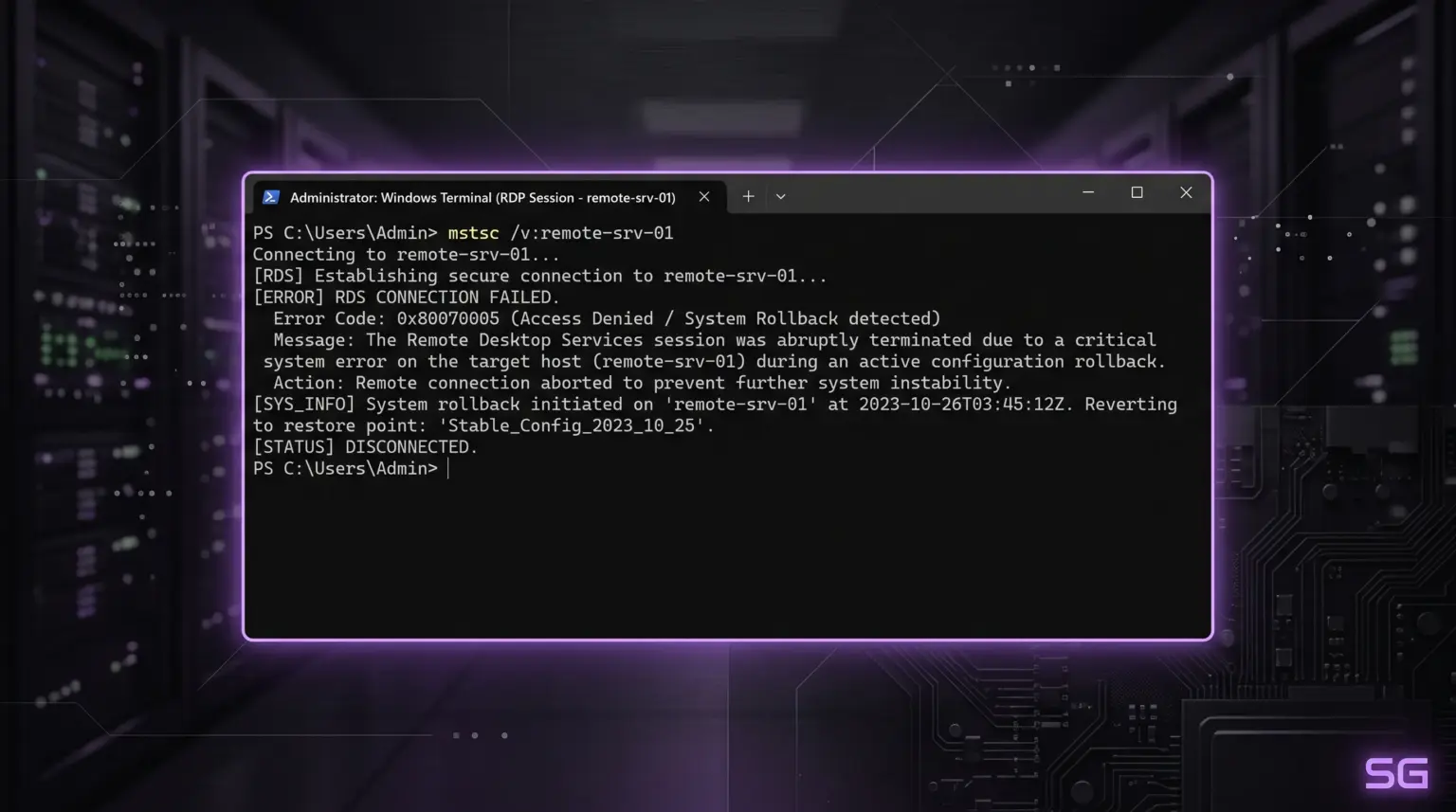
After installing the scheduled September security update package, Windows Server RDP stopped accepting connections, leaving administrators worldwide locked out.

What Broke Windows Server RDP?

The server doesn’t crash immediately after reboot—it can run stably for several hours. The error occurs the moment one of the users logs off (Log off).
At that moment, a mutual lock (deadlock) occurs between the RDP service and the Local Session Manager (Local Session Manager / LSM) in the system libraryRDPSERVERBASE!WDLIB_Close. After that, the service freezes completely, new users cannot connect, and the server often refuses to reboot normally.
The issue affected three editions of Windows Server at once:
  • Windows Server 2019—culprit update KB5122876
  • Windows Server 2022—culprit update KB5122882
  • Windows Server 2025—culprit update KB5122871
While Microsoft prepares an emergency out-of-band fix, the only working method to restore access is to temporarily remove the problematic package.

Step-by-Step Recovery Instructions

Since these are cumulative security updates, the standard wusa /uninstall utility may return an error. The most reliable method for administrators is to use the DISM image servicing console utility.

Step 1. Launch Command Prompt

If you can no longer connect via regular RDP, access the server through the hypervisor console (Hyper-V / VMware / Proxmox) or the hosting emergency console (VNC/KVM).
Open Command Prompt (CMD) as administrator.

Step 2. Remove the Faulty Package via DISM

Run the command corresponding to your Windows Server version:
  • For Windows Server 2019:

DOS

dism /online /remove-package /packagename:Package_for_RollupFix~31bf3856ad364e35~amd64~~17763.6293.1.5
(Or via quick search by package name: dism /online /get-packages, copying the name with KB5122876)
  • For Windows Server 2022:

DOS

wusa /uninstall /kb:5122882 /quiet /promptrestart
  • For Windows Server 2025:

DOS

wusa /uninstall /kb:5122871 /quiet /promptrestart
If wusa returns an error stating the update is mandatory for the system, use the DISM rollback command with the full package name.

Step 3. Reboot the Server

To apply the changes and restore the old working RDP libraries, perform a reboot:

DOS

shutdown /r /t 0

Step 4. Temporarily Block Reinstallation

If you do nothing, Windows Update will download this patch again the next night.
  1. Open Settings (Win + I) → Windows Update.
  2. Click Pause updates (select pause for 1–2 weeks).
  3. For domain networks, disable approval of these KBs in the WSUS console or Group Policy (GPO).
After that, RDP access will be fully stabilized until Microsoft releases an official fix.
Recommended Infrastructure

For homelabs, remote testing, and staging environments, we run NVMe VDS instances on Erahost. Fast provisioning, European routing, and predictable I/O.

View NVMe Plans →

Stay Updated with SoftAndGadget

Get the latest Windows Internals, SysAdmin guides, and tech analysis delivered straight to your inbox.

By signing up, you agree to our Privacy Policy. You may unsubscribe at any time.
Share This Article
Facebook Whatsapp Whatsapp LinkedIn Reddit Telegram Copy Link Print
Share
ByEvgeny Bely
Founder of SoftAndGadget.com | Lead Systems Engineer & Tech Analyst
Follow:
Founder & Editor-in-Chief of SoftAndGadget.com   Systems Architect and IT Specialist with 15+ years of experience in Windows environments, PC hardware, troubleshooting and performance optimization since 2007.
Previous Article Windows 11 Command Prompt showing results of ipconfig and ping commands How to Quickly Check Your Internet via Command Prompt: ipconfig and ping
Next Article Excel KB5002914 Copy Failure Excel KB5002914 Update Broke Copy and Paste: How to Restore Clipboard Functions
Leave a Comment

Leave a Reply Cancel reply

Your email address will not be published. Required fields are marked *

Latest News

Deploying secure self-hosted office suites in an isolated homelab server environment
Self-Hosted Office Suites: Replace Microsoft 365 Telemetry
Software & OS Microsoft Office
CMR vs SMR hard drives physical architecture comparison in enterprise NAS arrays
CMR vs SMR Hard Drives: Why SMR Fails in ZFS and RAID
Storage & RAM Hardware & PC
Troubleshooting KB5002907 Office deactivation on an enterprise Windows workstation
How to Fix KB5002907 Office Deactivation in 2016 and 2019
Software & OS Microsoft Office
Tiny11 Windows 11 26H2 minimal operating system architecture and debloat process
Tiny11 Windows 11 26H2: How to Build a Clean, Stripped OS Image
Software & OS Operating Systems

You Might Also Like

Broken twisted pair: restoring the link via an additional switch
Network & Remote AccessTroubleshooting

Broken Twisted Pair: Restoring the Link Without Rewiring

Evgeny Bely
WSL2 Virtual Ethernet memory leak and Hyper-V vEthernet adapter troubleshooting in Windows 11
TroubleshootingNetwork & Remote Access

WSL2 Virtual Ethernet Adapter High Memory and CPU Leak: Root Cause and Fix

Evgeny Bely
Remote Desktop crash fix
Network & Remote AccessUpdates & Patches

Emergency Windows Server Update: Microsoft Fixed Remote Desktop Crash

Evgeny Bely
© 2026 SoftAndGadget. All Rights Reserved. [email protected]
  • Contact
  • Site Map
  • Privacy Policy
  • Advertise
  • About Us
Иконка сайта SoftAndGadget — фиолетовый неоновый хайтек-логотип SG
Welcome!

Login to SoftAndGadget

Username or Email Address
Password

Lost your password?